





- Easily Deliver Content with Videowall Display
- Efficient Screen Management with the Home UI Interface
- Optimized Presentation with Easy Image Rotation Function
Samsung Flip 2 size 65 WM65R LH65WMRWBGCXXV
Write and Draw. Spark Your Creativity
Enjoy the familiar feeling of writing on a vibrant, digital platform that offers diverse colors and styles across multiple screen sizes.
Supports up to 4 users simultaneously, each with their own tools. Easily interact with the screen or erase images using your palm—no special pen required.
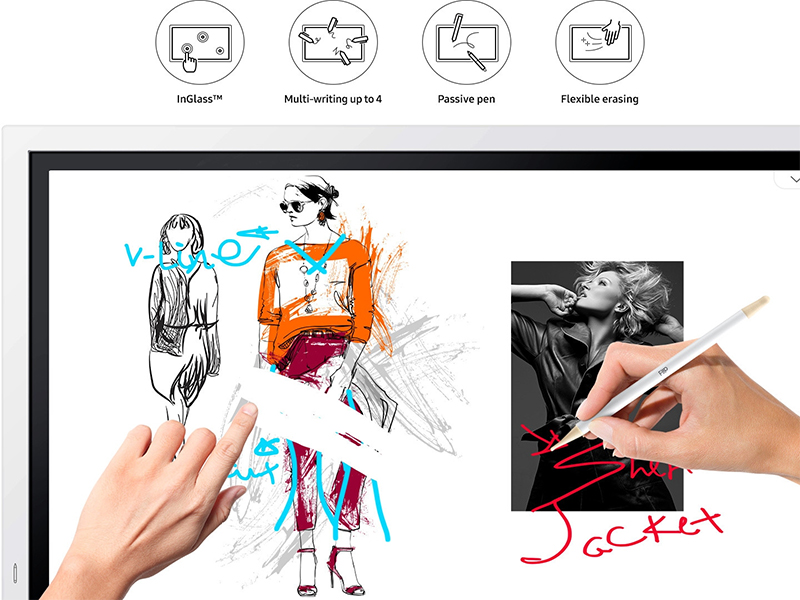
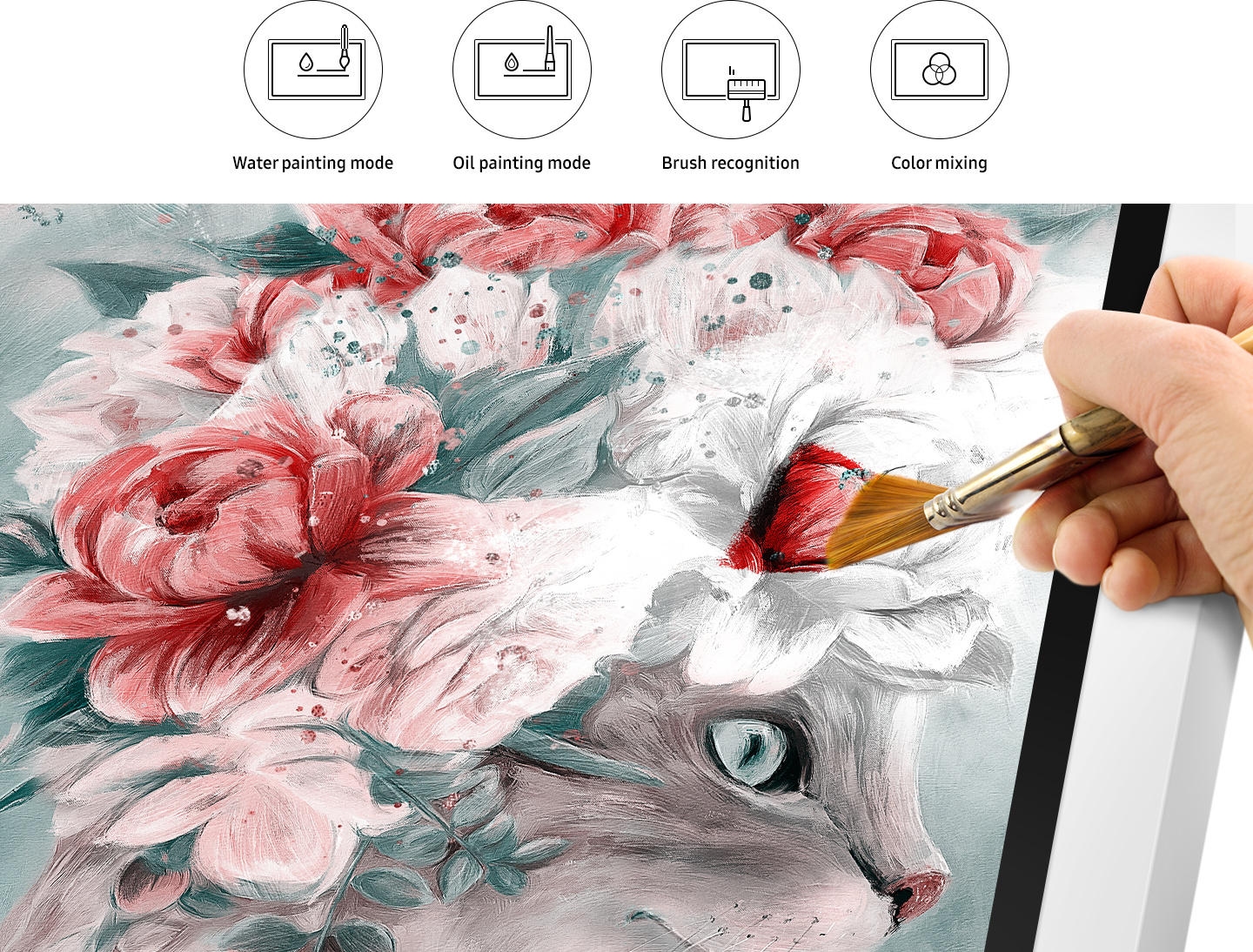
Create Masterpieces
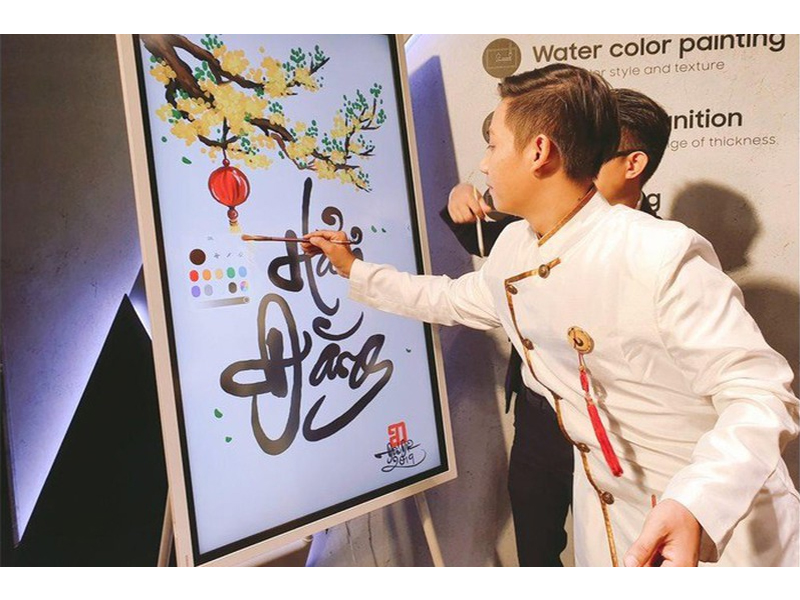
Craft unique works of art with various brush thickness options available in Brush Mode. Challenge your artistic skills and explore new painting styles using distinctive watercolor and oil paint modes, complemented by a vibrant and rich color palette.
More than that, you can mix colors directly on the Flip, allowing you to add your personal touch to every painting.
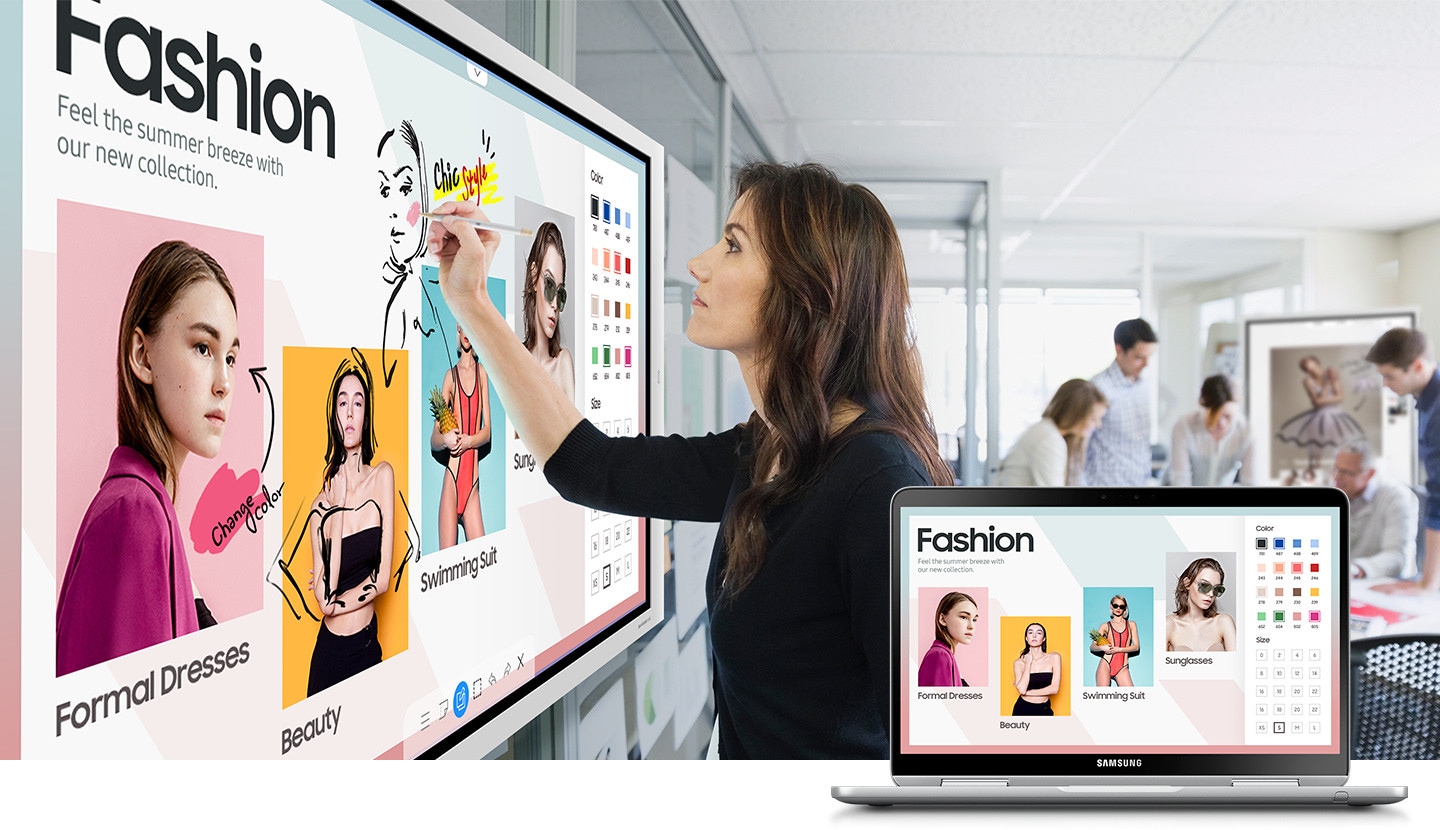
Write and Draw on Any Image
The new Samsung Flip screen allows users to freely write and draw on any background displayed. Simply press the button to enable the layered note mode, and you can capture every creative idea anytime, anywhere on any work without affecting the original content layer.
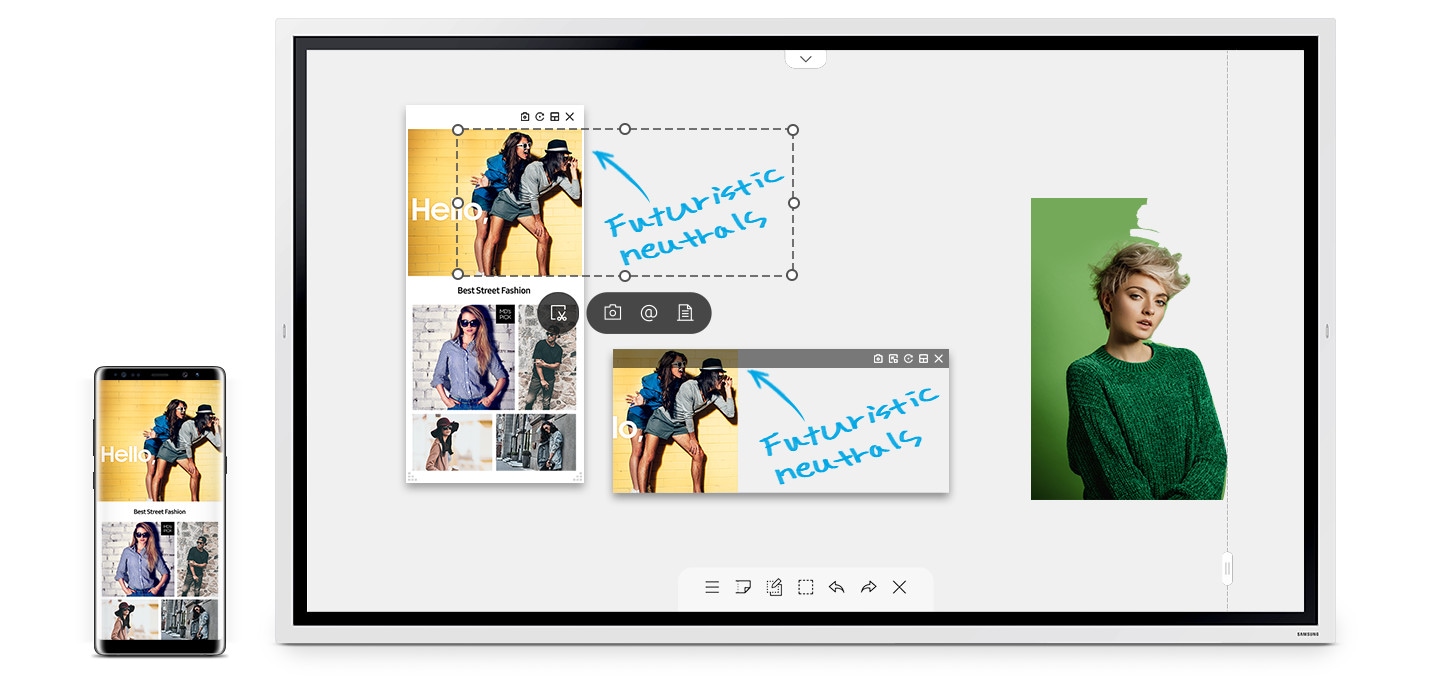
Professional Image Editing
On the Samsung Flip interactive screen, users can select, move, crop, capture, and edit any image exactly as they wish. Each image can be imported into the image gallery with a simple button press, allowing you to easily and quickly modify or erase unwanted details.
Unleash your endless creative potential.
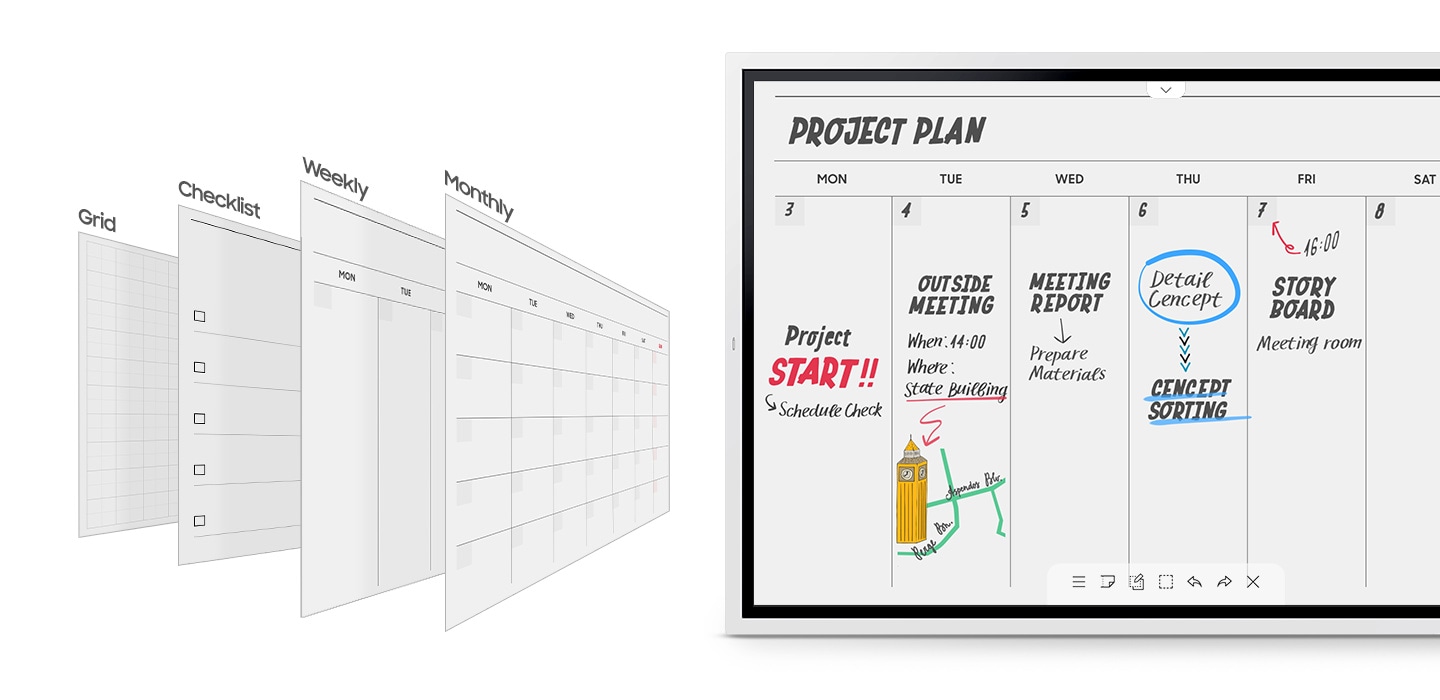
Perfectly Meets All Business Needs
Easily choose from pre-installed templates on the Flip to suit a variety of needs. More than just a display screen, the Samsung Flip can be used as a work calendar, schedule planner, instant note-taking tool, or a convenient way to check essential lists.
Satisfy every business requirement with a customizable interface tailored exactly to your company’s preferences.
Fast Navigation & Secure Protection
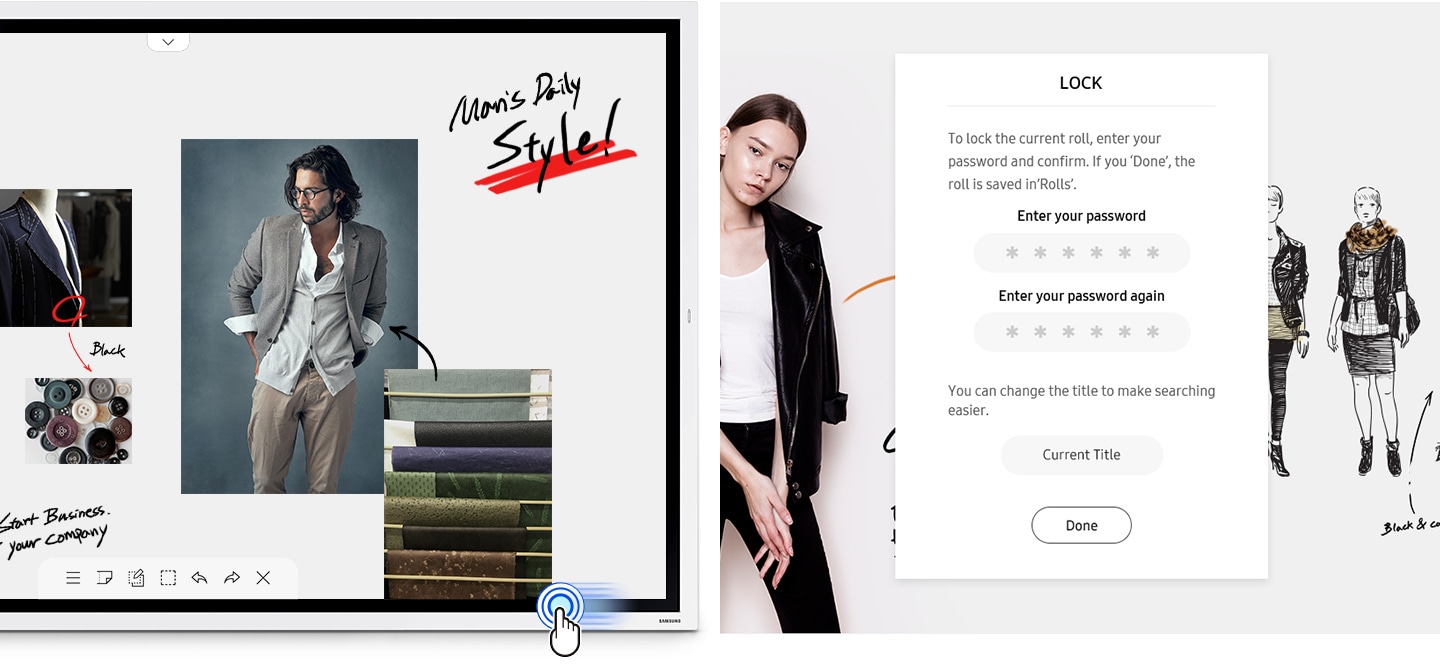
With the ability to access up to 20 pages of documents simultaneously in a single scroll, the Flip makes it easy to quickly find or jump to the content you need.
More than that, enhanced security systems help store and safeguard your business’s important information from unauthorized external access.
Diverse Connectivity Options
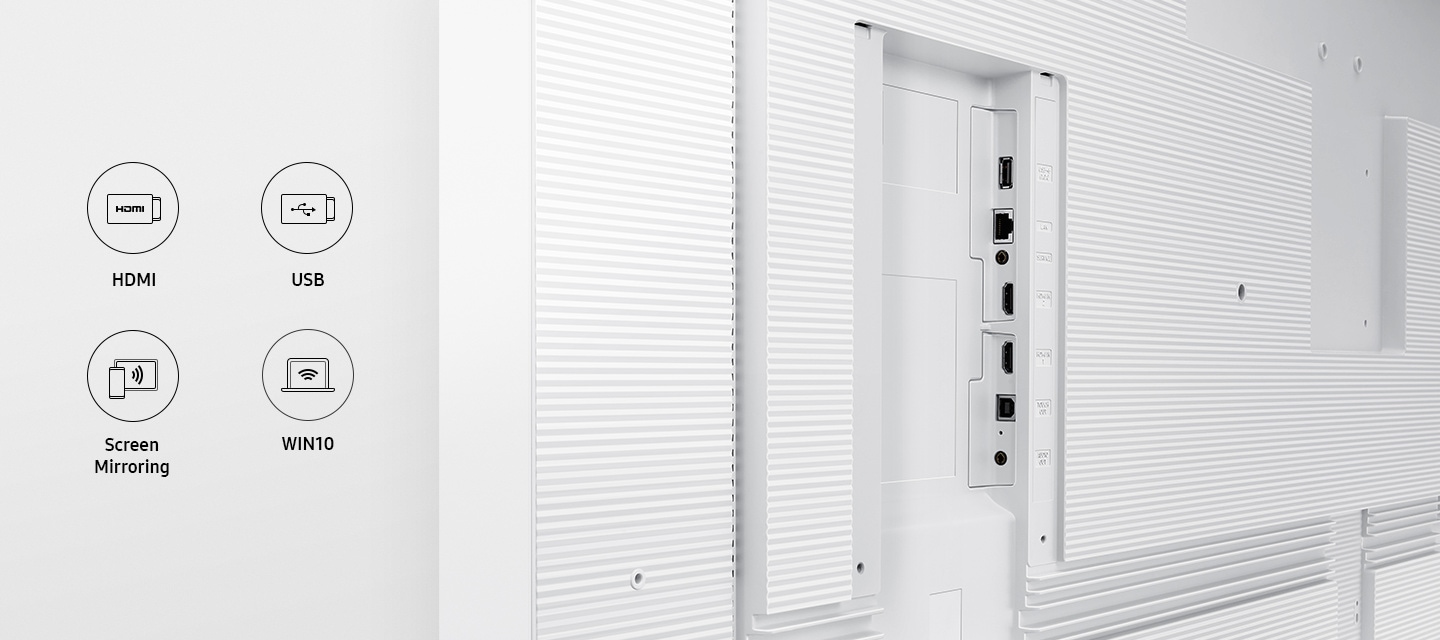
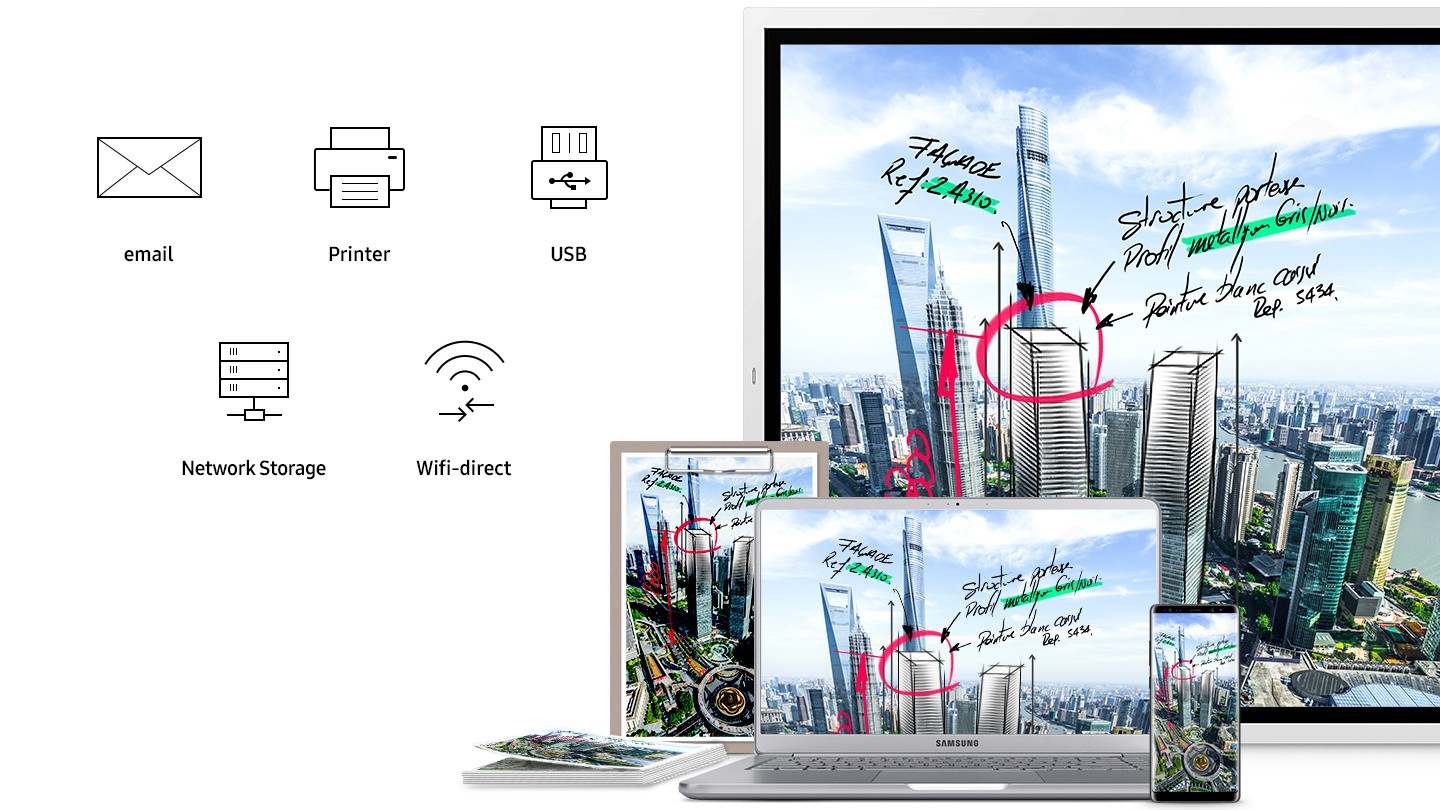
Optimize productivity among partners with a wide range of convenient connectivity choices. The Flip screen supports screen sharing and is equipped with multiple USB, HDMI, and NFC ports, allowing full display of necessary content and annotations, enhancing interactive efficiency between businesses.
The spacious storage shelf design provides comfort and helps you stay fully focused on your work.
Screen Synchronization
Syncing and sharing content from your personal device to the Samsung Flip screen has never been easier with the Synchronization feature. Every change you make on the Flip is recorded and reflected on the connected device, optimizing the efficiency of your business discussions.
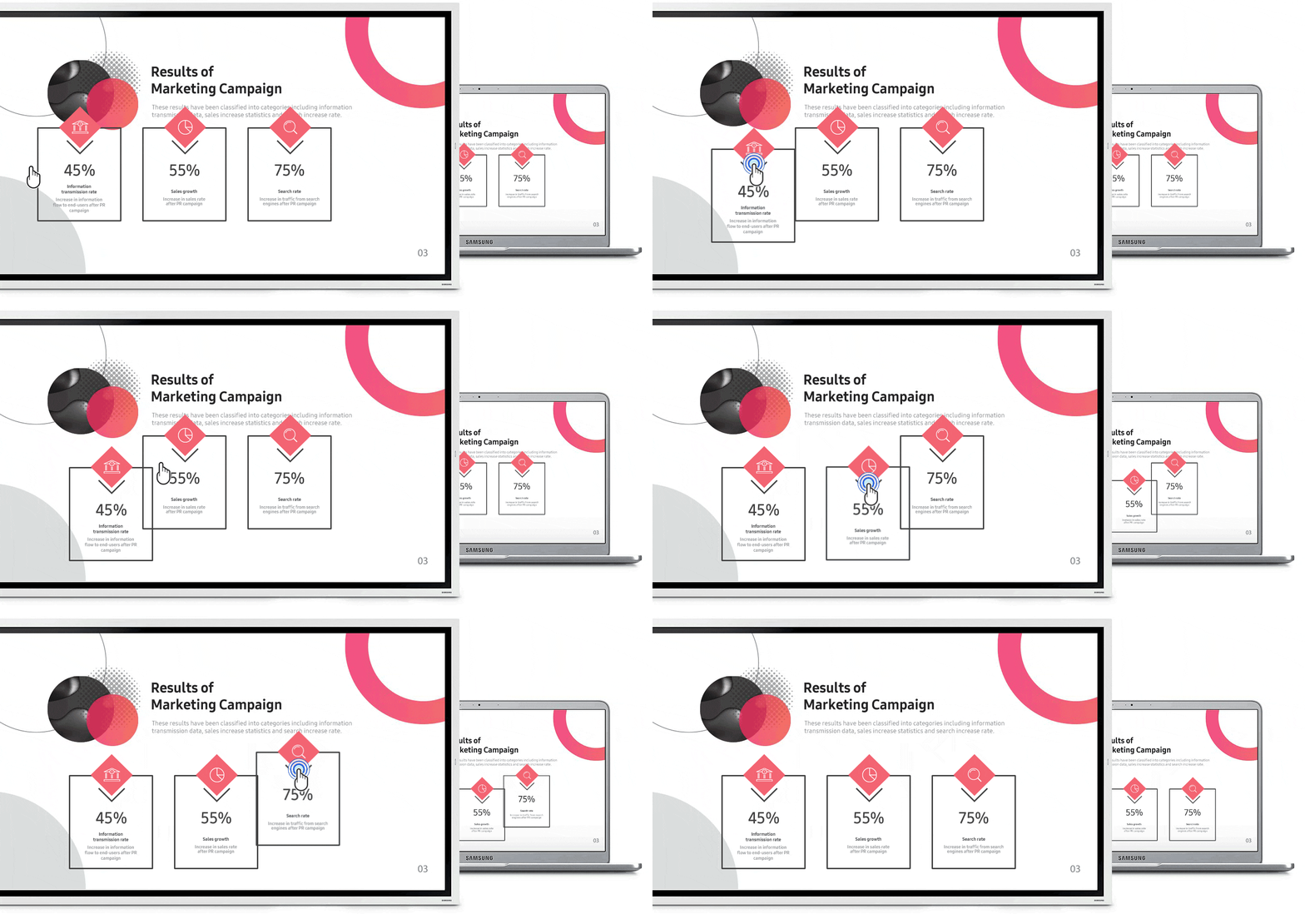
Quick Connection from Anywhere
Easily connect your computer remotely to the Samsung Flip screen in an instant, allowing your business to start meetings immediately without needing the computer nearby, minimizing unnecessary delays.
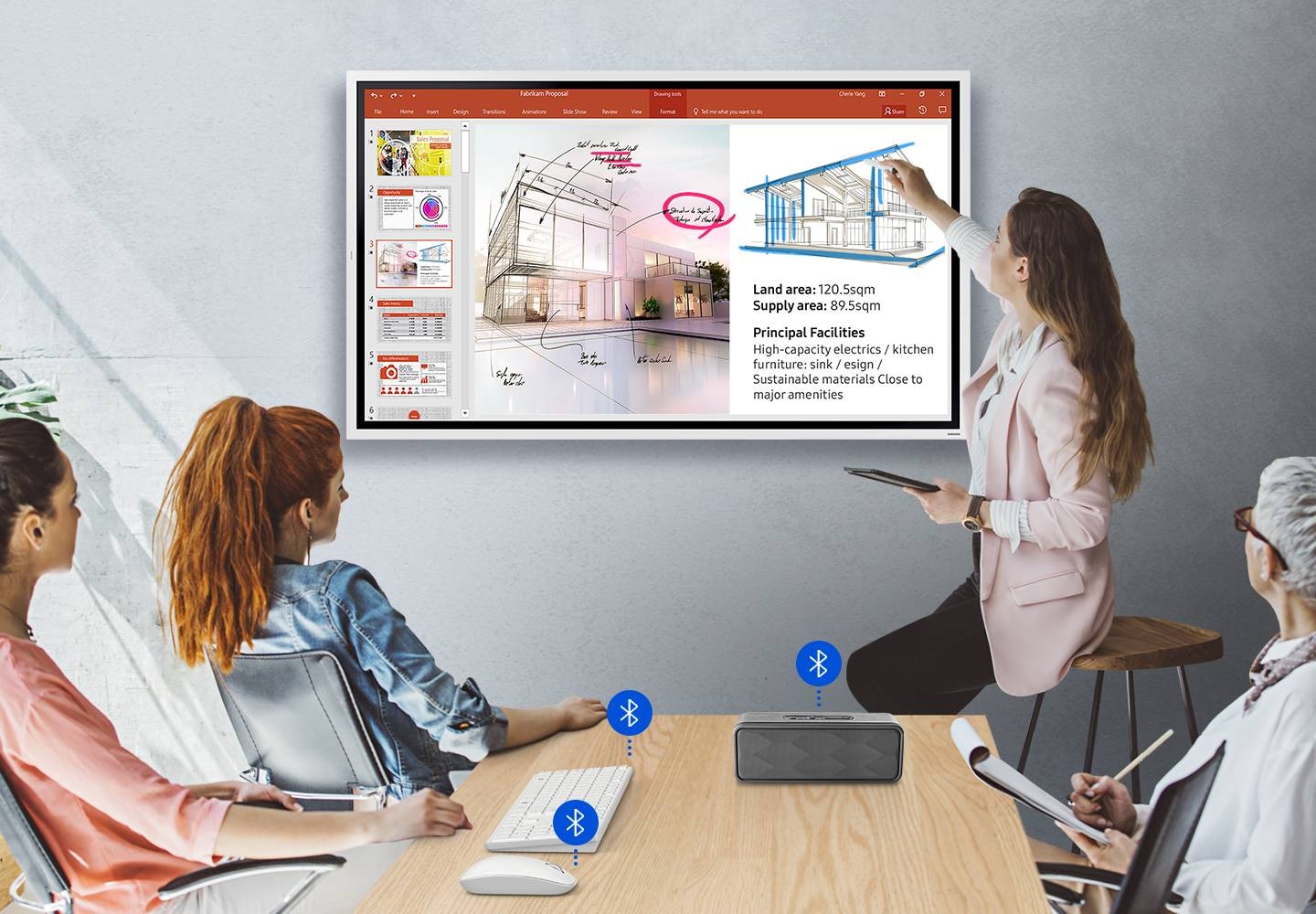
Bluetooth-enabled keyboards, mice, and soundbars can connect to the Flip, providing convenience and comfort during your meetings.
Share Content with Multiple Users
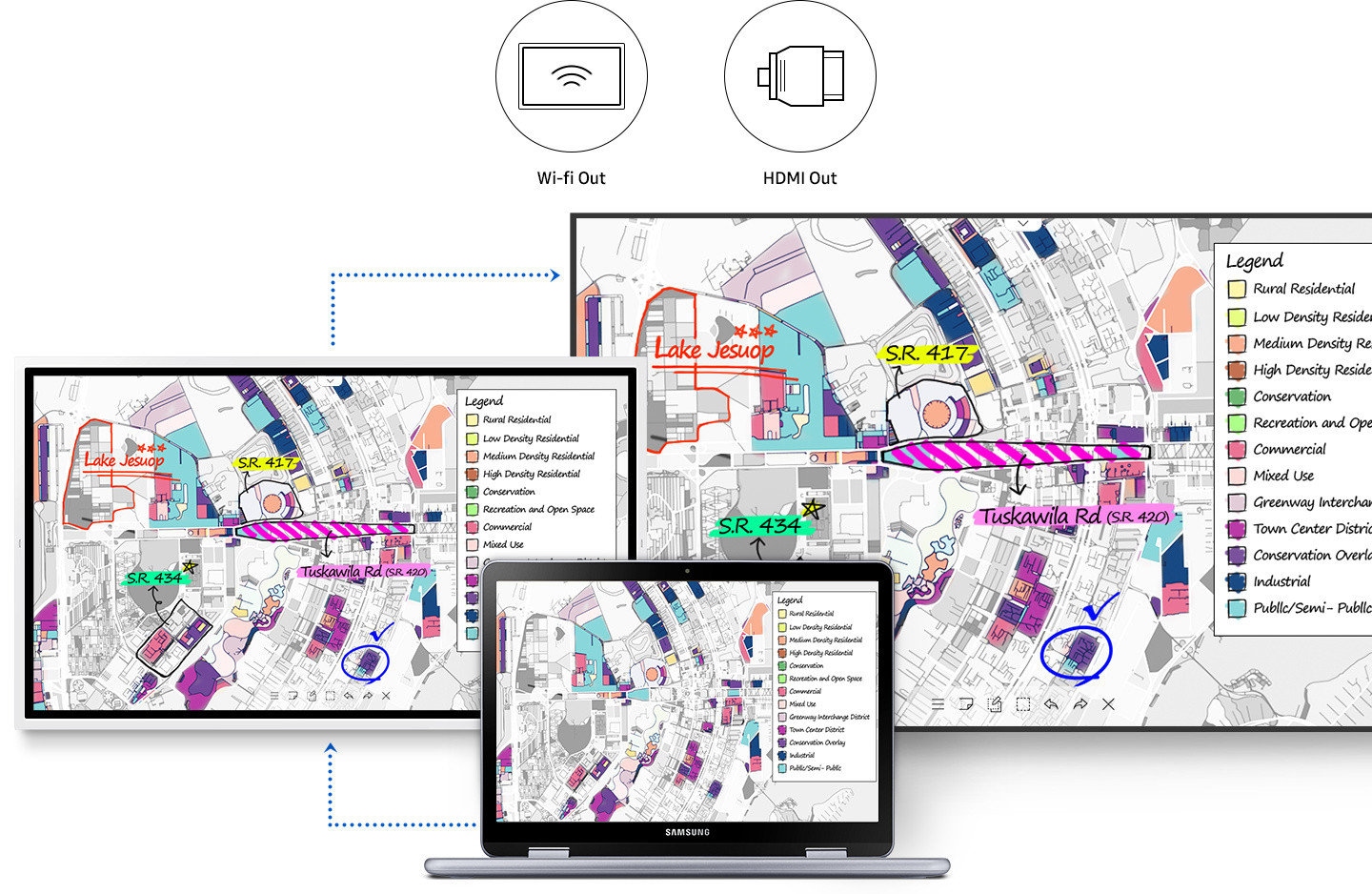
With Wi-Fi connectivity or HDMI output, you can instantly share all content from the Samsung Flip to a much larger digital screen—even when using personal devices.
The perfect solution to deliver complete information to a large audience during big meetings.
Quickly Update All Summaries
With the ability to save all information on the Samsung Flip screen, businesses can now send meeting summaries to all attendees and staff, completely eliminating the hassle of deciphering handwritten notes.
Easily store important conversations and content on the Flip, and quickly share them with everyone via various mobile and digital channels.
Sharp Images, Powerful Performance
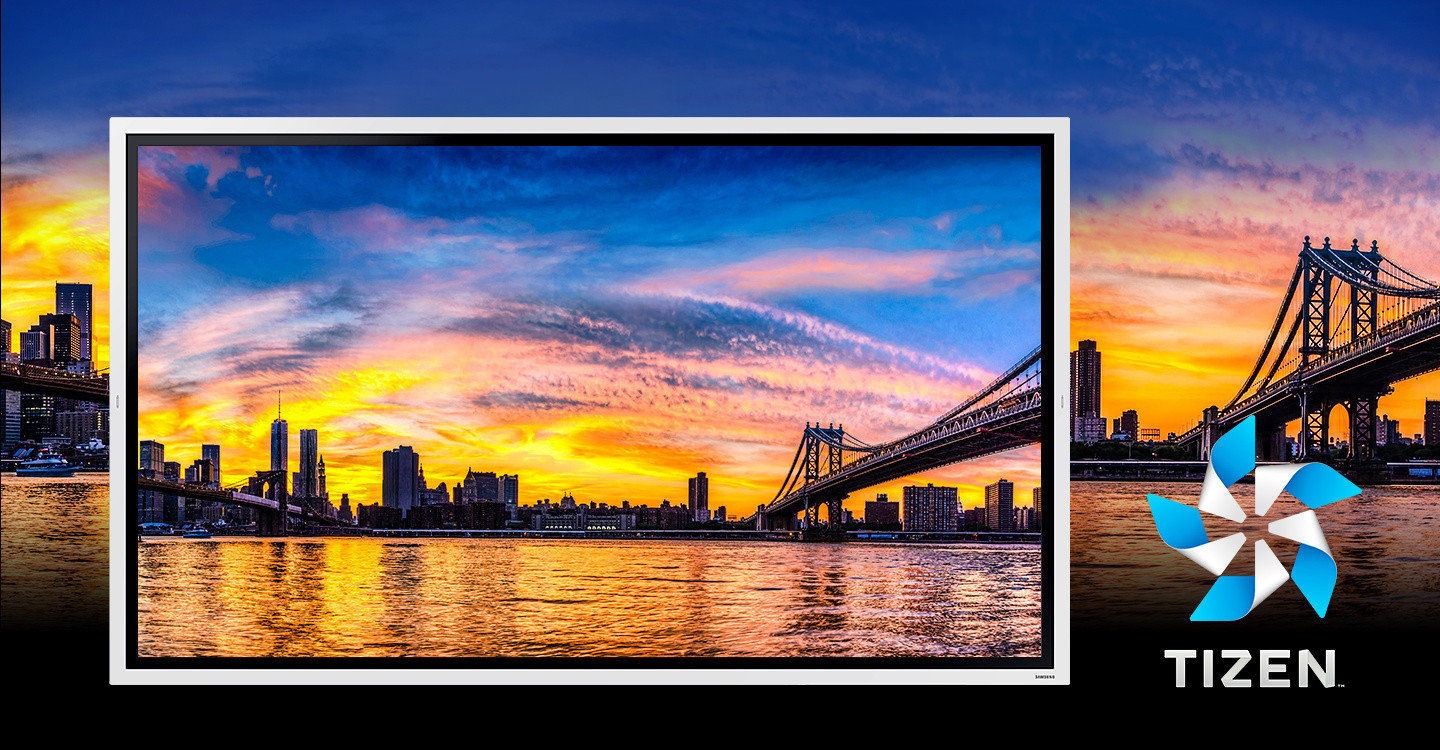
The Samsung Flip perfectly reproduces true and vivid UHD image quality in any environment, suitable for all uses.
Powered by the robust TIZEN 5.0 operating, the Flip delivers smooth, seamless experiences and automatically activates the display even when the screen is locked, thanks to its smart built-in sensor.
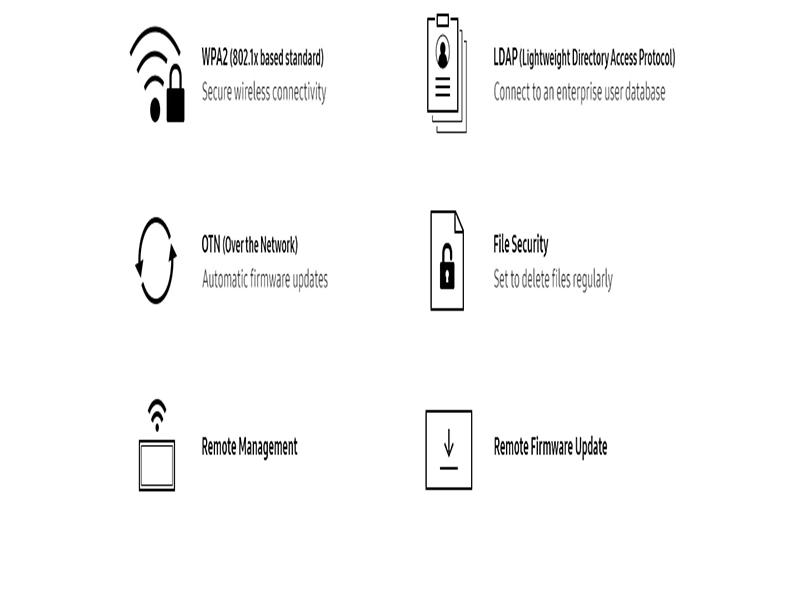
Optimize Management Efficiency
Packed with advanced features including wireless connectivity, automatic firmware updates, LDAP synchronization, data security protection, and remote management capabilities—delivering convenience and enhancing the effectiveness of meetings between your business and partners.
Thông số kỹ thuật
Display Specifications:
-
Diagonal Size: 65″
-
Panel Type: New Edge, 60Hz
-
Resolution: 3,840 x 2,160
-
Pixel Pitch (H x V): 0.372 x 0.372 mm
-
Brightness: 350 cd/m² (220 cd/m² with glass)
-
Contrast Ratio: 4,000:1
-
Viewing Angle (H/V): 178° / 178°
-
Touch Response Time: 8 ms
-
Color Gamut: 72%
-
Glass Haze: 2% (without glass)
-
Vertical Scan Frequency: 30 ~ 81 kHz
-
Maximum Pixel Clock: 594 MHz
-
Horizontal Scan Frequency: 48 ~ 75 Hz
-
Contrast Ratio (Dynamic): N/A
Input/Output Ports:
-
HDMI In: 2
-
DP In: N/A
-
DVI In: N/A
-
Tuner In: N/A
-
USB: 1
-
Component In: N/A
-
Composite In: N/A
-
RGB In: N/A
-
Headphone Jack: N/A
-
Audio Output: Stereo Mini Jack
-
Video Output: N/A
-
Power Output: N/A
Related products

- Deliver Content Simply and Effectively
- Efficient Screen Management with Home UI Interface
- Optimized Display with Easy Image Rotation Function
- IP56-rated Outdoor Display
- High Brightness of 2,500 nits
- All-in-One Solution
- Slim Bezel Design
- Powerful Tizen 3.0 Operating System
- Flexible Portrait/Landscape Display Modes
- True UHD Image Quality
- Dynamic Crystal Color
- Certified with Global Technology Eco-Label from EPEAT
- Crisp UHD image quality
- NEnhanced operational capabilities with the MagicINFO solution
- High-speed 60Hz refresh rate

- Experience Ultimate UHD Picture Quality
- Premium Visuals with Ultra-Narrow Bezels and Enhanced Panel
- Easy Installation Design
- Stunning Image Quality
- Ultra-Thin Bezel for Optimized Display
- Simple Content Management via Versatile All-in-One Platform